




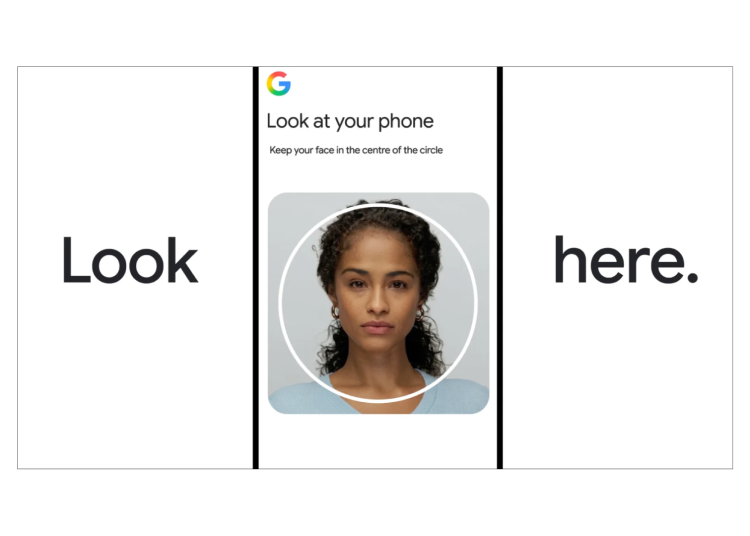
Google is rolling out a new verification method that allows users to access their accounts by recording a brief selfie video.
This option joins existing credentials like passwords, passkeys, and recovery contacts. It highlights a wider industry trend toward replacing traditional passwords with sturdier biometric alternatives.
How to Set Up Selfie Video Sign-In
-
Open your Google Account and sign in.
-
Navigate to the Security section.
-
Locate “How you sign in to Google” and select Selfie video.
-
Tap Continue on the Add selfie for sign-in page.
-
Follow the on-screen prompts, which include guided head movements, to complete the setup.
During setup, you look into your device’s camera and follow prompts to turn your head left or right, or nod. This captures your face from multiple angles.
If you are subsequently locked out of your account without your phone or trusted device, you can record a new selfie video. Google then compares it against your original recording to verify your identity.
Security and Liveness Detection
A primary concern for facial recognition features is spoofing—using a static photo or pre-recorded video to trick the camera. Google addresses this vulnerability using a liveness check.
-
Because the system requires specific, randomized head movements in real time, static images and pre-recorded clips are ineffective.
-
Google runs the footage through secondary checks to detect AI-generated deepfakes, alongside its standard fraud detection infrastructure.
This type of real-time liveness verification is increasingly critical for logins, payments, and sensitive data access, as AI-generated media has evolved to bypass simpler security systems.
Privacy, Data Storage, and Availability
-
Data Handling: Google states that selfie videos are encrypted, stored securely, used exclusively for sign-in verification, and can be deleted by the user at any time from their Google Account settings.
-
Privacy Scrutiny: Because facial recognition and biometric data collection frequently face regulatory scrutiny, questions remain regarding long-term data retention and access policies.
-
Current Limitations: The feature is not universally available. It is currently excluded from:
-
Google Workspace accounts
-
Child accounts
-
Accounts enrolled in the Advanced Protection Program
-
Best Practices for Setup
Google recommends removing items that obscure your face—such as sunglasses, hats, or face masks—before starting the process. Users should also record their setup video in a clear space, free of background visual clutter or other faces.


Related Posts

Beyond mySafaricom: What Makes Safaricom’s My OneApp a Game Changer
For nearly a decade, the mySafaricom App served its purpose well. It let users top up airtime, pay for Home Fiber, and check Bonga points—and…
Read More
Telegram Became a Victim of “Shoot First, Ask Questions Later” Content Moderation
The recent showdown between Apple and Telegram highlights a systemic flaw in modern digital governance: platforms are prioritizing speed over fairness, placing legitimate developers and…
Read More